

Promoted
Jev AI Model
freemiumJev AI Model pairs a free playground with an API for turning text or JSON state into typed classifications, scores, and yes/no probability outputs.
AIDeveloper ToolAnalytics
What it does, who it helps, and how it fits into your workflow.
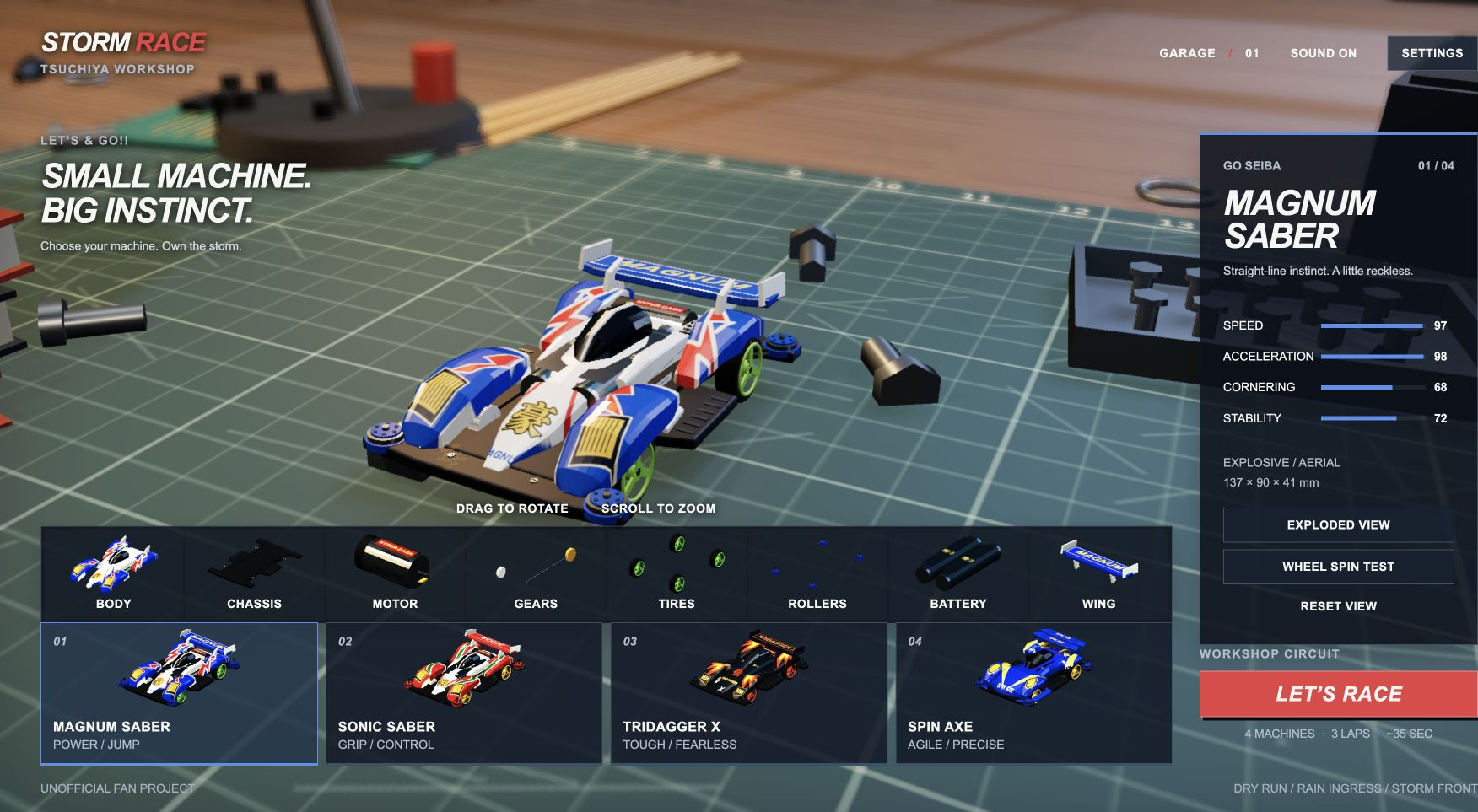
STORM RACE is a browser racing game built around a miniature-car workshop. It combines a 3D vehicle viewer with a short race, making the garage part of the experience rather than simply a menu to skip. Players can examine a model, select a different machine, and then see it compete around a workshop circuit.
In our desktop Chrome test, the garage loaded directly without account creation. Switching from Magnum Saber to Sonic Saber changed the model's identity and displayed performance attributes. We then completed a three-lap race and opened its replay. This makes the site a fit for a short interactive break or a closer look at miniature-car presentation—not an AI productivity tool.
The project identifies itself as an unofficial fan creation and disclaims affiliation with Tamiya and the original creators. Its appeal is the combination of model inspection, a detailed workshop setting, and immediately accessible racing. The test described here is one desktop session, not a certification of every device or advertised control.
The garage presents four machines. Selecting Sonic Saber instead of Magnum Saber updated the name, dimensions, and speed, acceleration, cornering, and stability values. This lets players compare the game's stated vehicle profiles before a run. We did not benchmark all four cars, and these values should not be read as measurements of physical models.
Activating the inspection view separated the car into visible components. Selecting the motor displayed a component explanation. This is useful for exploring the model's construction visually; it is not a verified engineering or repair guide. The interface also offers wheel inspection and view-reset controls, but their full behavior was not covered in this session.
The tested run advanced through three laps. The first showed dry conditions; the second introduced rain and a loss-of-grip warning; the third showed stronger wind and local rain. The display tracked position, lap, elapsed time, speed, and motor state. We finished third out of four, with a displayed total of 36.85 seconds. That is an individual test result, not a guaranteed session length or performance benchmark.
Switching to the chase camera changed the selected view while the race continued. Pausing opened a dedicated menu, and resuming returned to the active race. Settings could also be opened from that menu. Six camera options were available, although we did not inspect every view in detail.
After finishing, the replay button opened a playback interface. Moving its position slider to roughly halfway changed the displayed race time to around 19 seconds and showed the second lap. A reduced-speed option was visible but was not tested. No downloadable replay export was verified.
Free — checked on 2026-09-20. The garage, a complete three-lap race, and its replay were accessible without payment, registration, or a trial activation in our desktop session. This classification describes the core experience available when we collected the listing; it is not a promise of permanent free access or a commercial-use license.
We did not find a separate pricing link in the inspected page. No paid tier or subscription was encountered in the tested flow. Check the current website for subsequent changes.
Strengths
Limitations
Choose STORM RACE when the miniature workshop, assembly viewer, and short changing-condition race are the main attraction. If creating and sharing tracks is your priority, consider PolyTrack by Kodub: its developer page documents a track editor and export/share workflow. This comparison is based on our STORM RACE session and PolyTrack's published documentation, not a head-to-head play test.
No account was requested during our garage, race, result, or replay workflow. This observation does not cover every future or untested feature.
We found no verified user-facing AI capability. The site labels itself an unofficial fan project, so it should be listed as an entertainment experience without suggesting an official affiliation.
Yes. We opened a replay after finishing and successfully moved through it with the timeline slider. File export and long-term replay storage were not verified.
Those environments were not tested. Desktop Chrome worked in our session; the site's offline statement is not an independently verified compatibility guarantee.
Jev AI Model pairs a free playground with an API for turning text or JSON state into typed classifications, scores, and yes/no probability outputs.
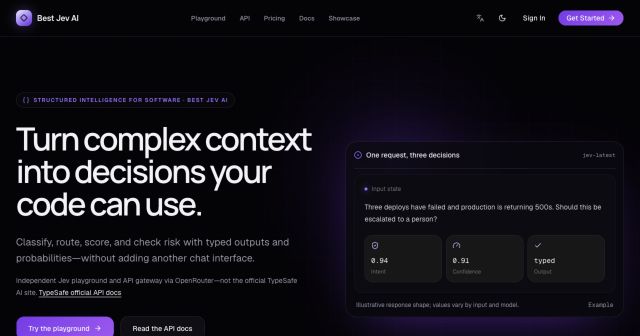
Best Jev AI pairs a free playground with an OpenRouter gateway for turning text or JSON context into typed choices, scores, and yes/no probabilities.

Browse Rush Ounza’s public software-engineering portfolio, including machine-learning notebooks, web projects, activities, and background.