

Promoted
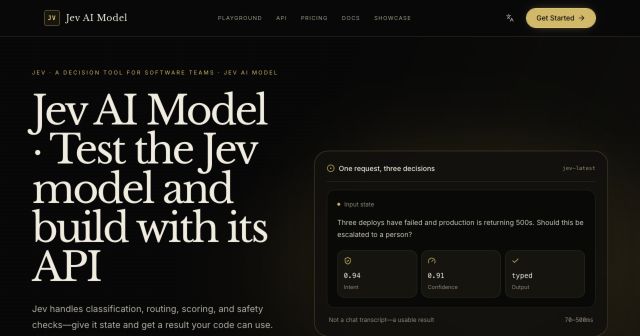
Jev AI Model
freemiumJev AI Model pairs a free playground with an API for turning text or JSON state into typed classifications, scores, and yes/no probability outputs.
AIDeveloper ToolAnalytics
What it does, who it helps, and how it fits into your workflow.
Bulin AI is an independent creative generation service with AI image and video workspaces and a fixed Bulin 47 motion template. It is for people who want to explore an image or short video from a prompt or reference, or place a character into one prepared performance without editing the source clip themselves.
The image workspace creates or edits stills from text and supported reference photos. The video workspace makes clips from text, starting images, or other inputs supported by the selected model. Bulin 47 is narrower: its scene and 23.2-second reference performance are preloaded, and one character photo guides the lead role. The site says it is not affiliated with or endorsed by the artist associated with the trend.
Controls differ by model. Generated details such as faces, clothing, text, backgrounds, and motion can change. Bulin AI requires users to have rights and any legally required consent for uploaded media. Its policy prohibits face swaps and non-consensual identity misuse.
Add one clear character photo to the supplied performance, review the preset and available settings, then submit a video generation. The photo guides the lead character while the source clip guides movement and camera framing. Bulin AI attempts to restore the source audio after editing, but says that step can fail independently. This is a fixed scene, not a general motion editor.
The AI Video workspace offers text-to-video, image-to-video, and reference-driven modes where the selected model supports them. Choose a model, supply its required prompt or media, review available duration, resolution, aspect ratio and sound controls, then check the credit estimate before submitting. The output is a clip; the site does not promise a finished film, captions, or a complete social campaign.
AI Image supports prompt-led creation and reference-guided work, with controls that depend on the selected model. Users can inspect results in My creations, download an image, or prepare an available follow-up edit or video workflow. Small text, logos, faces, product details, and backgrounds may change, so review the whole image before using it as a factual product representation.
The workspaces bring model selection, supported inputs, examples, credit estimates, and generation history together. Estimates change with the selected model and settings. A new variation is another generation request, so check an existing task and account balance before submitting again.
The public page lists Basic at $0 with 18 one-time signup credits, generation history, watermarked previews and downloads, and up to three images or one video. Watermark-free downloads require payment. This is a capped signup allowance, not a monthly credit grant.
At the monthly setting checked, Starter is $29.90 for 800 credits, Pro is $49.90 for 1,800 credits, and Business is $99.90 for 4,000 credits. The yearly display lists $100, $360, and $599 charged yearly, with monthly equivalents of $8.30, $30, and $49.90. Image and video totals vary by model and settings. Prices are in USD; taxes and the final total are shown at checkout. Subscriptions renew automatically, and subscription credits expire each billing period. One-time credits do not expire. Confirm the current balance and checkout total before purchase because prices and allocations can change.
Strengths
Limitations
Choose Bulin AI's AI Video workspace for a different scene or a supported image/reference input. Choose AI Image when the deliverable is a still or you want to prepare a character image first. The site also links other fixed performance templates. These are different workflows within Bulin AI, not independently benchmarked alternatives. Its public pages do not provide a sourced head-to-head comparison with other providers, so compare another service's model support and pricing directly if you need different controls or terms.
No. The site describes Bulin AI as independent and says it has no affiliation with or endorsement from the artist. The trend name identifies the fixed performance template.
Use a clear photo you own or are authorized to use, and obtain any consent required for your intended use. The site prohibits face swaps and non-consensual impersonation. A clear upper-body image provides more visible detail but cannot guarantee an exact result.
The pricing card lists Basic at $0 with 18 one-time signup credits, enough for up to three images or one video according to the page. Results are watermarked, and watermark-free downloads require payment.
No. Inputs, duration, sound, resolution, and other controls depend on the selected model. Review the workspace options and estimate before submitting.
Jev AI Model pairs a free playground with an API for turning text or JSON state into typed classifications, scores, and yes/no probability outputs.
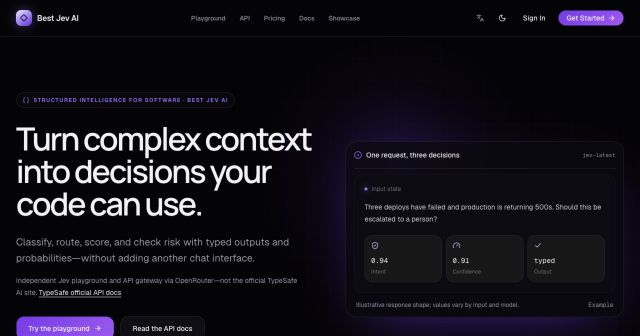
Best Jev AI pairs a free playground with an OpenRouter gateway for turning text or JSON context into typed choices, scores, and yes/no probabilities.
Browse Rush Ounza’s public software-engineering portfolio, including machine-learning notebooks, web projects, activities, and background.