


Promoted
Jev AI Model
freemiumJev AI Model pairs a free playground with an API for turning text or JSON state into typed classifications, scores, and yes/no probability outputs.
AIDeveloper ToolAnalytics
What it does, who it helps, and how it fits into your workflow.
Edit Image Text Online is a browser-based AI editor for changing words that have already become part of an image. It is intended for finished posters, product photos, menus, banners and interface mockups when the original editable design file is unavailable.
Users upload an image, enter the existing phrase and supply its replacement. The service redraws the lettering using the image as a visual reference, rather than requiring the original font file. It aims to match the surrounding color, spacing and background, but exact typography and unchanged neighboring details are not guaranteed.
The editor accepts PNG, JPEG and WebP files up to 10 MB. Entering both the old and new wording makes the requested change explicit, whether that is a poster date, a menu price or a typo in a headline. The site recommends replacing complete words rather than fragments inside a word.
The service describes a browser-side comparison and compositing step: when the changed region is contained, surrounding pixels are restored from the original. A comparison slider and change highlighting help users inspect the result. The published examples disclose cases where nearby ribbons, small print or label details were also redrawn.
Alongside replacement, the interface offers modes for fixing AI text, removing text, translating text and working with Chinese, Japanese or Korean lettering. Fast uses a 1K model tier, while purchasing a credit pack unlocks Pro at 2K. These are model tiers, not a promise of identical dimensions for every aspect ratio. Downloads are available as PNG, with a smaller JPG option where browser processing is available.
The service sells one-time credit packs and advertises no subscription. New accounts get one free Fast edit at 1K; this is a limited introductory allowance, rather than a replenishing free plan. This listing therefore classifies the product as paid with a free initial test.
| Pack | Credits | One-time price |
|---|---|---|
| Try | 8 | US$3.90 |
| Starter | 40 | US$14.90 |
| Pro | 100 | US$26.90 |
Any paid pack unlocks Pro 2K editing. Both quality tiers use one credit per returned image, and purchased credits do not expire. The published policy provides automatic credit returns for failed generations and refunds for unused credits within 30 days of purchase. Check the official pricing page for current conditions. Prices checked November 5, 2026.
Strengths
Limitations
If an editable layered source is available, changing its text in the original design application gives more direct control over lettering and layout. Manual photo retouching is another workflow when a user needs to reconstruct a background and place replacement text precisely.
Choose Edit Image Text Online when the available file is flattened and the job is a short, localized wording change. Its own comparison page acknowledges that layered editing is preferable for pixel-exact lettering; no independent comparison of competing applications was performed for this listing.
No font file is required. The editor uses the appearance of the lettering in the uploaded image as a reference, so an exact font match is not guaranteed.
New accounts receive one free Fast edit. Further AI edits require credits purchased in a one-time pack; the service does not advertise a recurring free allowance.
That is not guaranteed. The service restores surrounding pixels when it detects a contained change, but its own examples show changes to nearby objects and small print. Inspect the comparison before publishing.
The site distinguishes failed generation from an image that was returned but is unsatisfactory. Failed generations receive their credit back automatically. Users should contact support about clearly incorrect results and consult the separate unused-credit refund policy.
Jev AI Model pairs a free playground with an API for turning text or JSON state into typed classifications, scores, and yes/no probability outputs.
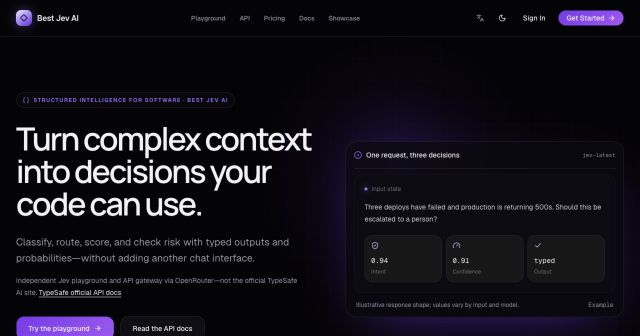
Best Jev AI pairs a free playground with an OpenRouter gateway for turning text or JSON context into typed choices, scores, and yes/no probabilities.

Browse Rush Ounza’s public software-engineering portfolio, including machine-learning notebooks, web projects, activities, and background.