

Promoted
Jev AI Model
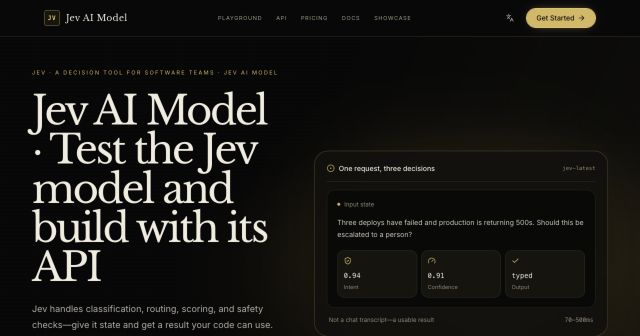
freemiumJev AI Model pairs a free playground with an API for turning text or JSON state into typed classifications, scores, and yes/no probability outputs.
AIDeveloper ToolAnalytics
What it does, who it helps, and how it fits into your workflow.
Framer is a website design and publishing platform that combines an AI design agent, visual canvas editing, hosting, CMS, analytics, SEO, and collaboration. Users can move from prompt or idea to a published site while retaining editable layers and components.
The platform targets marketing sites, portfolios, product pages, and campaign sites. Its AI agent can generate layouts, while designers adjust typography, layout, components, CMS content, and interactions on the canvas.
Framer has a free plan for non-commercial exploration and paid Basic, Pro, and Enterprise tiers for custom domains, higher limits, collaboration, security, and support.
Generate and revise site designs from a prompt while keeping changes editable on the canvas.
Adjust layout, typography, components, interactions, and responsive behavior without leaving the design surface.
Publish to Framer’s global CDN with built-in SEO, redirects, analytics, password protection, and static-file support.
Manage structured content, collections, localization, roles, editors, viewers, staging, branching, and previews.
Framer is freemium. The Free plan is intended for non-commercial use and includes 10 CMS collections, 1,000 pages, 5 MB file uploads, one locale, 500 AI credits when the workspace has no active subscription, and collaboration with up to three editors.
Paid monthly tiers are Basic at $10 with 1,000 AI credits, a free custom domain on yearly billing, two CMS collections, 1,000 CMS items, 30 pages, and 50 GB bandwidth; Pro at $30 with 3,000 credits, 10 collections, 2,500 CMS items, 150 pages, 100 GB bandwidth, staging, redirects, and advanced collaboration; and Enterprise with custom limits and security. Additional editors cost $20 per month, content editors $10, and viewers are free. Add-ons include localization, A/B testing, and advanced hosting.
Strengths
Limitations
Compare Framer with Webflow for deep visual web publishing and CMS control, Wix for simpler templated sites, and Vercel or Netlify when developer-led frameworks are preferred. Choose Framer when AI-assisted design and visual publishing should stay in one workflow.
Yes. Free is intended for non-commercial use and includes exploration credits, CMS support, and limited collaboration.
Pro is listed at $30 per month with 3,000 AI credits and higher production limits.
Paid plans support custom domains; Basic includes a complimentary domain on yearly billing.
Credits power agents, localization, and AI features, are shared across a workspace, and can be increased by upgrading or adding credits.
Jev AI Model pairs a free playground with an API for turning text or JSON state into typed classifications, scores, and yes/no probability outputs.
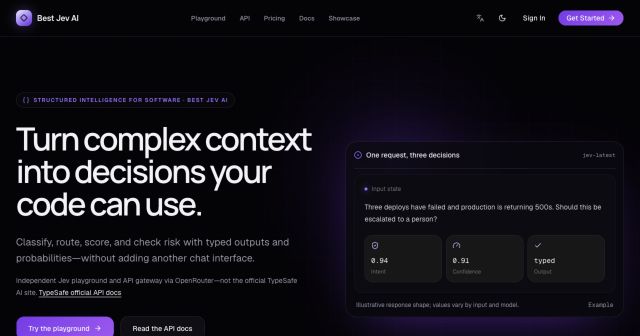
Best Jev AI pairs a free playground with an OpenRouter gateway for turning text or JSON context into typed choices, scores, and yes/no probabilities.
Browse Rush Ounza’s public software-engineering portfolio, including machine-learning notebooks, web projects, activities, and background.