

Promoted
Jev AI Model
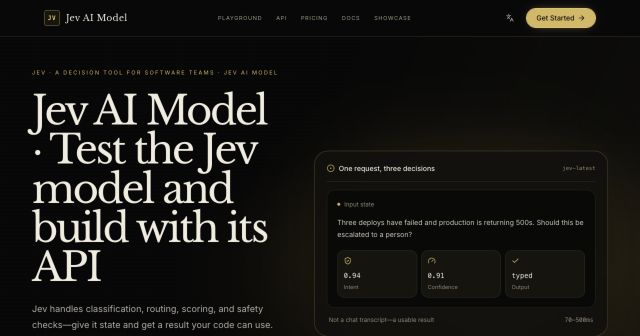
freemiumJev AI Model pairs a free playground with an API for turning text or JSON state into typed classifications, scores, and yes/no probability outputs.
AIDeveloper ToolAnalytics
What it does, who it helps, and how it fits into your workflow.
Higgsfield is an AI-native creative suite for people who need to produce images, videos, voice content, and related campaign assets. Its official homepage positions it as a workspace for generation, editing, upscaling, and automated creative workflows rather than a single-purpose generator.
Users can start from a text prompt or reference material, choose generation and editing tools, then refine the result in studios built for cinematic scenes, marketing collateral, effects, and repeated creative variations. Web and mobile access let teams move between ideation and production.
The platform also exposes MCP, CLI, API, and ChatGPT-plugin surfaces. That makes it useful both for direct creation and for integrating selected creative capabilities into a broader agent or production workflow.
Create images, video, and voice content from text prompts or references. The input is the creative brief or source asset; the output is a draft that can be edited, extended, or upgraded within the same creative suite.
Higgsfield includes image editing, inpainting, upscaling, face-swap, influencer, and mixed-media workflows. This helps users move beyond first drafts without exporting every asset to a separate tool.
Cinema Studio, Marketing Studio, Lipsync Studio, Fashion Factory, and other guided studios organize tools around a production goal. Presets provide repeatable motion and visual effects for common creative directions.
MCP, CLI, API, and a ChatGPT plugin connect Higgsfield capabilities to external workflows. This can help automate recurring production steps, although configuration and access limits depend on the chosen plan.
Higgsfield has a free tier and paid subscriptions, so it is classified as freemium. Official help documentation says users can generate without a paid plan, but free access is limited to a small set of models and does not include subscription credits. Paid plans unlock more models, monthly credits, parallel generation, and unlimited access to selected models.
Individual plans support monthly or annual billing. Business plans add shared workspaces, pooled credits, administrative controls, SSO on Scale, and custom Enterprise terms. Higgsfield says subscription credits reset each billing cycle on individual plans and does not offer a free trial. Current prices are published on its pricing page; check them before purchase because plan details and model access can change.
Strengths
Limitations
For general AI video work, compare Higgsfield with Runway and Kling when timeline control, video model choice, and studio workflow matter. For image-first production, a dedicated image studio may be simpler. Choose Higgsfield when a team wants multimodal generation, editing, and agent-facing integrations together rather than a single-output generator.
Yes, but only with a limited set of models and no subscription credits, according to the official plans documentation.
No. Official help says individual subscription credits reset each billing cycle; top-up and Enterprise credits follow separate rules.
No. Higgsfield documents a free tier rather than a time-limited trial.
Solo creators can start with an individual plan. Teams that need shared credits, collaboration, SSO, or custom volume should compare Team, Scale, and Enterprise.
Jev AI Model pairs a free playground with an API for turning text or JSON state into typed classifications, scores, and yes/no probability outputs.
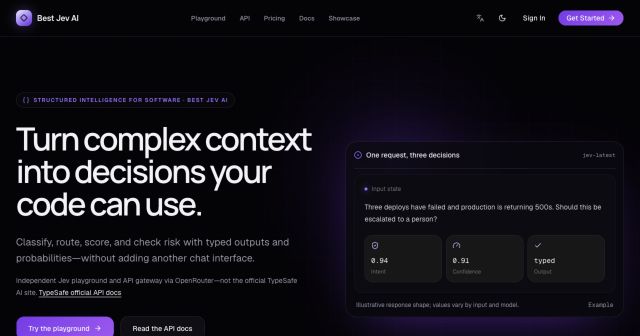
Best Jev AI pairs a free playground with an OpenRouter gateway for turning text or JSON context into typed choices, scores, and yes/no probabilities.
Browse Rush Ounza’s public software-engineering portfolio, including machine-learning notebooks, web projects, activities, and background.