

Promoted
Jev AI Model
freemiumJev AI Model pairs a free playground with an API for turning text or JSON state into typed classifications, scores, and yes/no probability outputs.
AIDeveloper ToolAnalytics

What it does, who it helps, and how it fits into your workflow.
IdealPhoto is a browser-based photo booth for taking sequences of webcam pictures and arranging them as classic strips or postcard-style grids. It targets casual users, events, and K-pop-inspired photo-card creation without requiring a downloaded application.
The homepage combines sequence length, layout, aesthetic, timer, and lens-effect controls. It also advertises AI-generated themes and backgrounds, although that feature was not tested during verification.
Users can select three, four, five, or six shots and choose a classic vertical strip or postcard grid before starting the timed sequence.
Visible options include Original, black-and-white, Sepia, Vivid, 1977, Cyber, and Glitch, alongside color, theme, and AI Labs categories.
The site says image processing happens on the device and that completed strips can be downloaded as high-resolution PNG files.
IdealPhoto's official description calls the online booth free, and no checkout or paid plan was visible on 2026-09-20. Camera capture was not authorized during this review, so the final export step was not independently completed.
Strengths
Limitations
Choose IdealPhoto when you want a browser photo booth with strip and grid presets. A native camera app may offer stronger offline control, while a professional event booth is more suitable when physical prints, lighting, and on-site support are required.
No. IdealPhoto runs in a web browser according to the official page.
Yes. Taking new pictures requires browser permission for the camera.
The site says processing is client-side unless the user explicitly creates a shareable link; verify the current privacy policy before using sensitive photos.
Jev AI Model pairs a free playground with an API for turning text or JSON state into typed classifications, scores, and yes/no probability outputs.
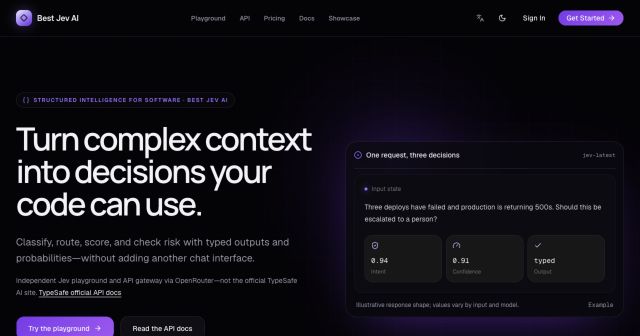
Best Jev AI pairs a free playground with an OpenRouter gateway for turning text or JSON context into typed choices, scores, and yes/no probabilities.

Browse Rush Ounza’s public software-engineering portfolio, including machine-learning notebooks, web projects, activities, and background.