


Promoted
Jev AI Model
freemiumJev AI Model pairs a free playground with an API for turning text or JSON state into typed classifications, scores, and yes/no probability outputs.
AIDeveloper ToolAnalytics
What it does, who it helps, and how it fits into your workflow.
OpenCode is an open-source AI coding agent. It runs as a terminal-based interface, desktop app, or IDE extension and connects to large-language-model providers configured by the user.
The agent can inspect a project, create an implementation plan, edit files, answer questions, and iterate as the developer provides feedback. Its documentation emphasizes provider choice rather than a single mandatory hosted model.
Because the agent itself is open source, it is classified as free software. Model-provider usage may still cost money, so the total cost depends on the provider and plan configured by the developer.
Use OpenCode from a terminal, desktop application, or IDE extension. This lets developers keep the agent close to their existing workflow.
Users configure API keys for their chosen model providers. This separates the agent from a single vendor’s subscription and lets teams control model access.
OpenCode initializes configuration for a repository and uses project structure and coding patterns when planning or editing files.
Developers can ask for a plan, provide feedback, and then switch to implementation. This is useful for non-trivial changes where review before editing matters.
OpenCode is classified as free because the official documentation describes it as an open-source AI coding agent. There is no OpenCode subscription fee in the reviewed documentation.
Users must separately arrange model-provider access. Provider API keys can have their own charges, rate limits, and billing terms. Windows installation through Bun was documented as in progress at review time, so users should check current platform support before installing.
Strengths
Limitations
Compare OpenCode with hosted AI coding assistants when a managed subscription is simpler, and with other open-source coding agents when local control or provider portability is the priority. Choose OpenCode when you want an open-source, repository-aware agent and already have a preferred model provider.
The agent is open source. Model-provider inference may still cost money depending on the API key and plan you configure.
Documentation lists a terminal interface, desktop app, and IDE extension.
Yes. OpenCode uses API keys for the model providers you want to access.
It can propose and edit files, but developers should review diffs and run tests before merging.
Jev AI Model pairs a free playground with an API for turning text or JSON state into typed classifications, scores, and yes/no probability outputs.
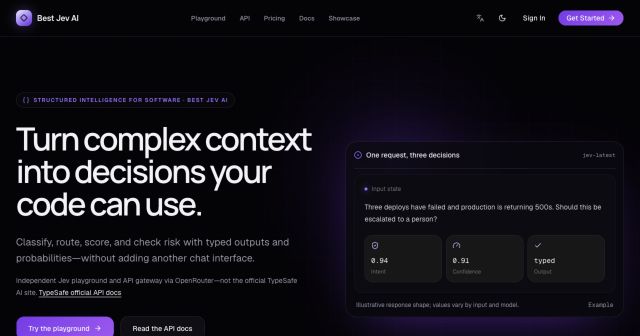
Best Jev AI pairs a free playground with an OpenRouter gateway for turning text or JSON context into typed choices, scores, and yes/no probabilities.

Browse Rush Ounza’s public software-engineering portfolio, including machine-learning notebooks, web projects, activities, and background.